Chapter 1. Getting Start in PHP
Introduction
PHP (recursive acronym for PHP: Hypertext Preprocessor) is a widely-used open source general-purpose scripting language that is especially suited for web development and can be embedded into HTML.
PHP Is a language that can be indexed into an HTML page. Its code is between <?php ?>.
What distinguishes PHP from something like client-side JavaScript is that the code is executed on the server, generating HTML which is then sent to the client.
PHP is focused in server-side scripting. You can do anything that a CGI Program can do, but php is more than only a server-side programming language.
There are two main areas where PHP scripts are used.
- Server-side scripting. This is the most widely used and main target field for PHP. Three things are needed to make this work: the PHP parser (CGI or server module), a web server, and a web browser. All these can run on a local machine in order to just experiment with PHP programming. See the installation instructions section for more information.
- Command line scripting. A PHP script can be run without any server or browser, only the PHP parser is needed to use it this way. This type of usage is ideal for scripts regularly executed using cron (on Unix or macOS) or Task Scheduler (on Windows). These scripts can also be used for simple text processing tasks. See the section about Command line usage of PHP for more information.
Also PHP allows to developers use any style of programming, from procedural programming to OOP programming
PHP is not limited to outputting HTML. PHP's abilities include outputting rich file types, such as images or PDF files, encrypting data, and sending emails. It can also output easily any text, such as JSON or XML. PHP can autogenerate these files, and save them in the file system, instead of printing it out, forming a server-side cache for dynamic content.
PHP has one of the most strong features as a server-side programming language, Connect PHP with a Database is very easy and convenient if you want to work with one.
One of the strongest and most significant features in PHP is its support for a wide range of databases. Writing a database-enabled web page is incredibly simple using one of the database specific extensions (e.g., for mysql), or using an abstraction layer like PDO, or connect to any database supporting the Open Database Connection standard via the ODBC extension. Other databases may utilize cURL or sockets, like CouchDB.
Installation
Unix System
Debian/Ubuntu GNU/Linux
Install with apache
apt install php-common libapache2-mod-php php-cli
A simple tutorial
Here we are going to see some use cases for PHP and some very simple examples.
Example 1
- We are going to create our first PHP file called
hello.php. Inside of this, we will write the next code:
<?php
echo "hello world";
?>
- Go to the path where your
.phpfile is and write:
php -S localhost:8000
This will start a server in localhost:8000. To access to your hello.php you have to set un the URL this path: http://localhost:8000/hello.php, ending with the name of the php file.
- Now, we are adding some HTML content:
<!DOCTYPE html>
<html>
    <head>
        <title>PHP Test</title>
    </head>
    <body>
        <?php echo '<p>Hello World</p>'; ?>
    </body>
</html
This is a quick example of how PHP works with .php files, these does not need to be executables or something like that, if your server is set well, you do not have any trouble to see the content in your web browser.
Example 2
Here we are going to get the system information via PHP.
<?php
phpinfo()
?>
Something useful
To this example we are going to see $_SERVER['HTTP_USER_AGENT'] to know what browser client is the user using for visit the php site.
$_SERVER is an special variable of PHP, we are going to see variables forward.
Here we are going to determinate which browser user is using:
<?php
if(str_contains($_SERVER['HTTP_USER_AGENT'], 'Firefox')) {
  echo "you are using firefox based browser";
} else {
  echo "other one";
}
?>
Basic Elements
Now we are going to see some elements from the previous examples.
Variables
In PHP, there are two types of variables
Variables
To set a variable in php you have to use $ simbol, followed by the name of that variable, for example $name
Reserved Variables
This kind of variables are already set by PHP, these contains information to the developer. We are going to see more in the future.
Control Structures
Like other programming languages, PHP has control structures like if.
Integral sample
<?php
if (str_contains($_SERVER['HTTP_USER_AGENT'], 'Firefox')) {
?>
<h3>str_contains() returned true</h3>
<p>You are using Firefox</p>
<?php
} else {
?>
<h3>str_contains() returned false</h3>
<p>You are not using Firefox</p>
<?php
}
?>
Dealing with Forms
One of the most useful features is the capacity is how PHP handles HTML forms.
<form action="form.php" method="POST">
	<input type="text" placeholder="name" name="name" id="name">
	<button type="submit">Send</button>
</form>
Here we have a form, when this form is sent, the information of this form will be sent via POST HTTP method to form.php file/route.
To print that information, we are going to use a reserved PHP variable called POST:
<!DOCTYPE html>
<html lang="en">
<head>
  <meta charset="UTF-8">
  <meta name="viewport" content="width=device-width, initial-scale=1.0">
  <title>Document</title>
</head>
<body>
  <form action="form.php" method="post">
    <input type="text" name="name" id="name">
    <button type="submit">Send</button>
  </form>
</body>
</html>
Now, in form.php:
<!DOCTYPE html>
<html lang="en">
<head>
  <meta charset="UTF-8">
  <meta name="viewport" content="width=device-width, initial-scale=1.0">
  <title>Document</title>
</head>
<body>
  <h1>Registered Name: <?php echo htmlspecialchars($_POST['name']) ?></h1>
</body>
</html>
In this code you will see something like htmlspecialchars() this is a function from PHP in charge of change the text to a legible form in those cases where you will see special chars like ñ´'"& and more.
This is so important because people cannot inject html or javascript elements
The result will be something like this:
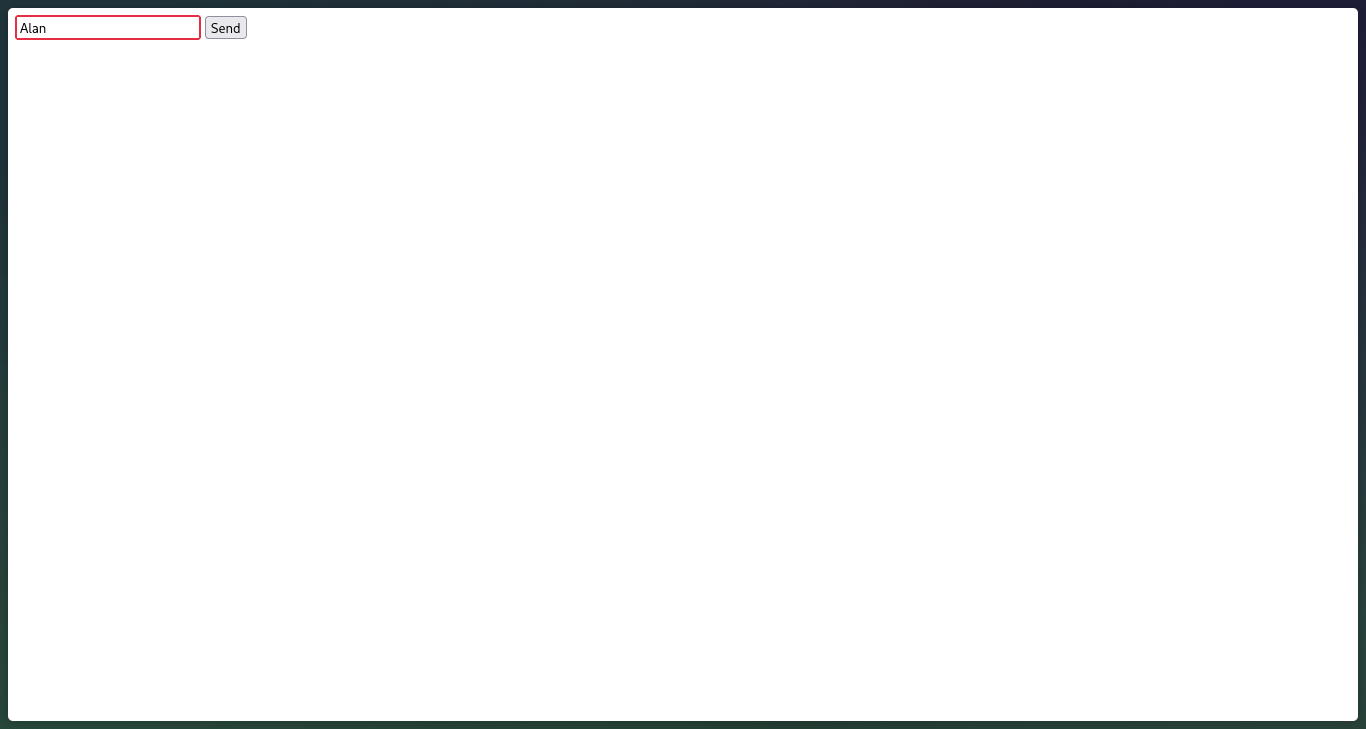
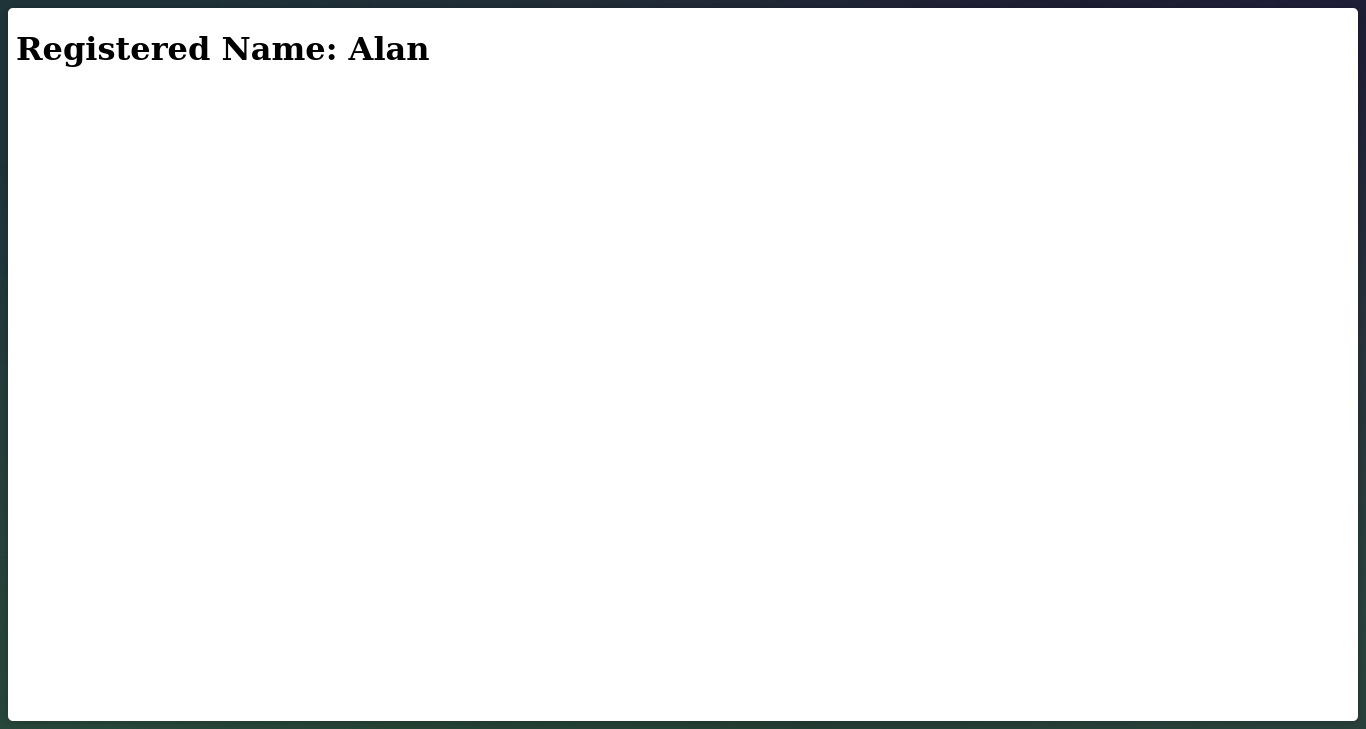
In this case, we see another variable superglobal called $_POST, like $_SERVER. $_POST contains all data sent via post, If we had sent data via GET method, this data will be stored in $_GET superglobal variable.
Also, you may use $_REQUEST superglobal if you don't care about the source of your request data. It contains the merged information of GET, POST and COOKIE data.
If you will use GET method with $_GET super global variable, this method should be used in those cases you will get data from the server, not if you are sending data to the server. For example, in search of an specific data, you should use this HTTP method
Commands
To initialize a server in php you can use this command
php -S localhost:8000